

ax5author · 12
The Reader
Open any EPUB, PDF, Word, Excel, CSV, HTML, ZIP, text or e-mail file from the file explorer. It opens in a calm reader with contents, pages and search.
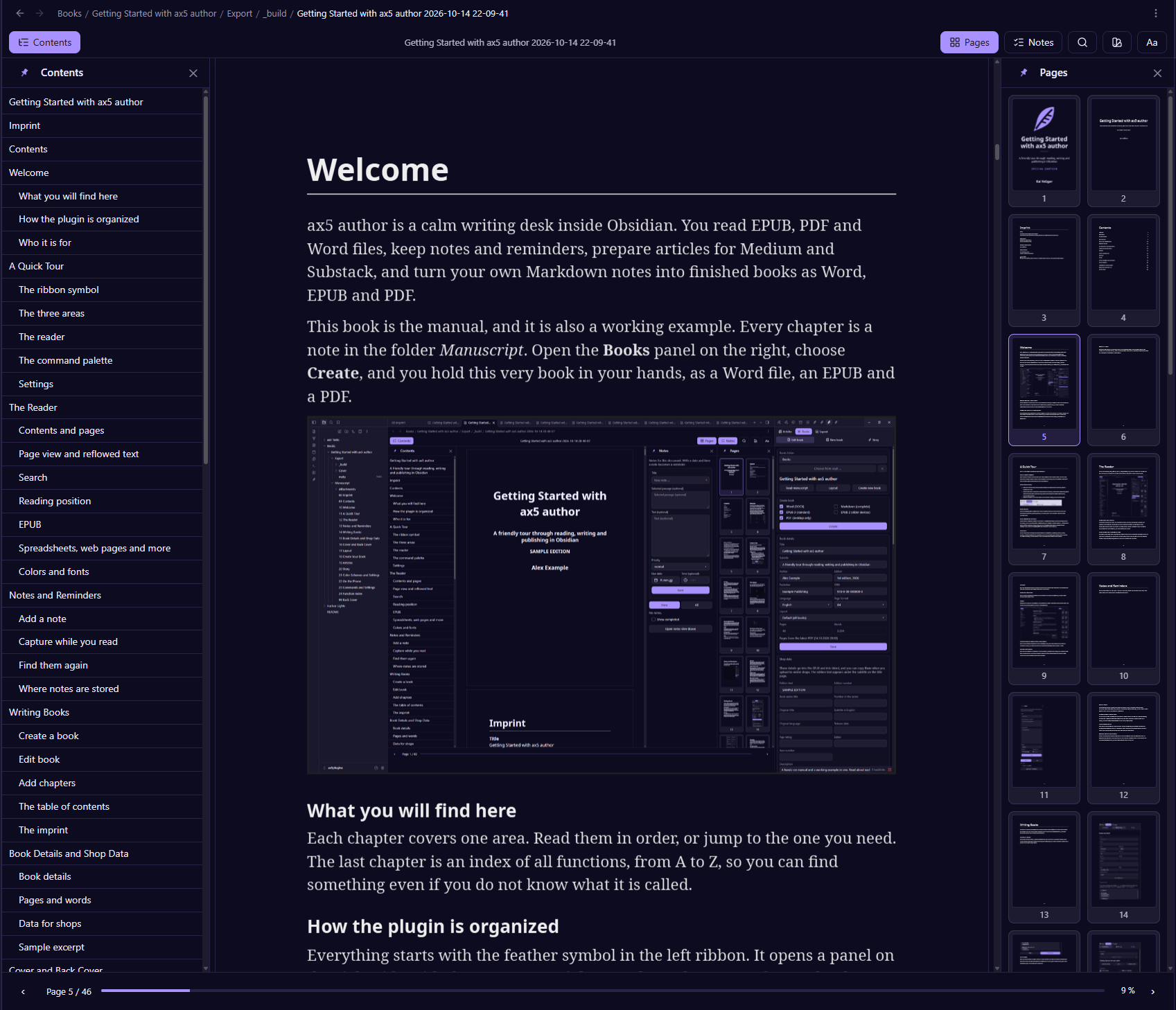
Contents and pages
Contents opens the table of contents on the left. For books made with ax5author it follows the headings of every chapter. Pages opens small page previews on the right. Click one to jump there. Both columns can be pinned open with the pin symbol, or closed with the cross.
Page view and reflowed text
For Word and PDF you can switch between the page view and reflowed text. In the page view you see the pages as they will print. In reflowed text the words flow to fit your window, which is also the default on a phone.
Search
Use the magnifier in the reader bar or press Ctrl+F. The matches are marked in the text and you can jump from one to the next.
Reading position
The reader remembers where you stopped in every document, so you come back to the same page.
EPUB
EPUB files open in a flowing reader with the same contents and search. You can read in a paged layout or scroll continuously.
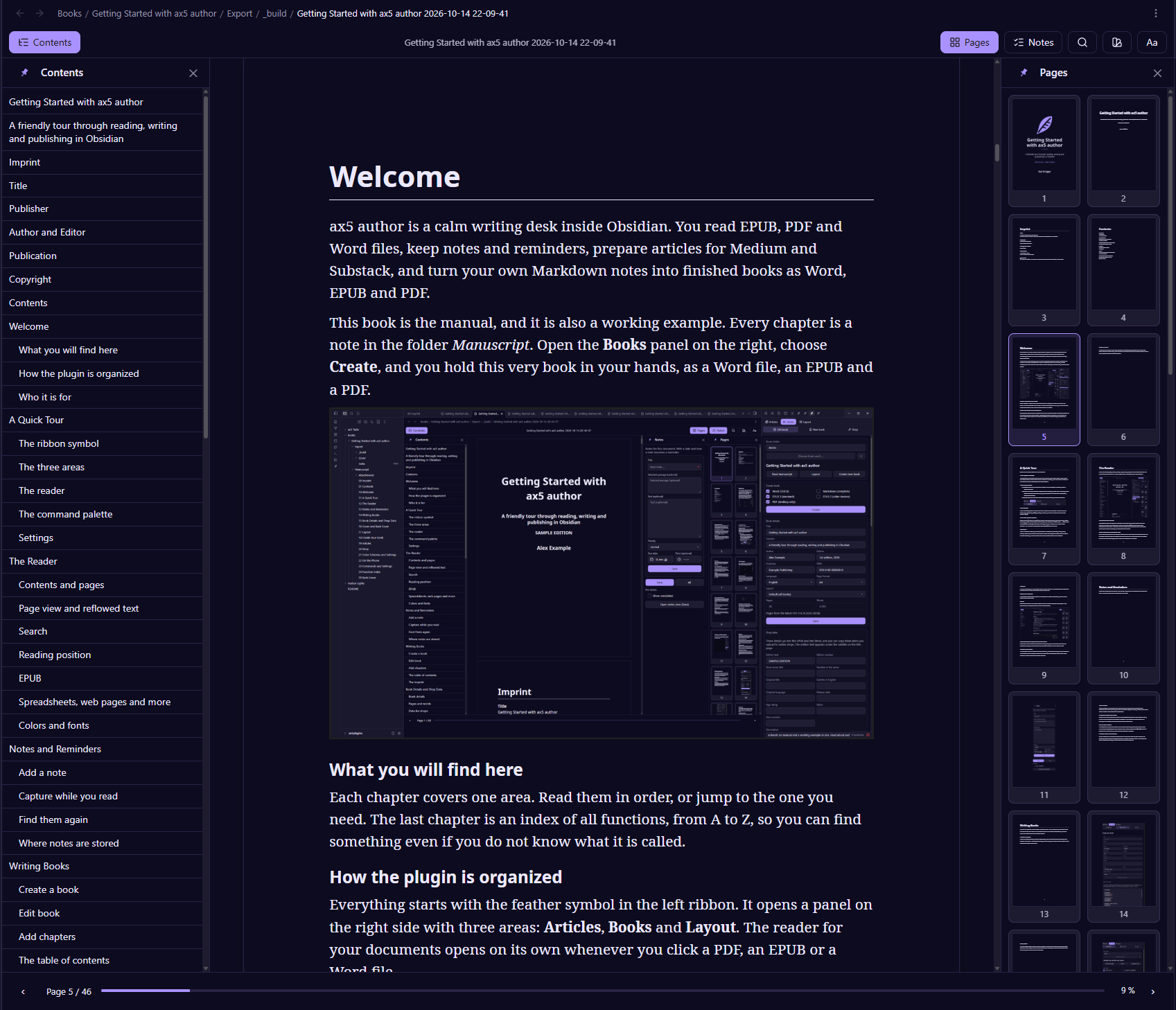
Spreadsheets, web pages and more
Excel and CSV files show as tables. HTML, text, ZIP and e-mail files open as readable pages, so you rarely need another program just to take a look.
Colors and fonts
The palette symbol opens the color schemes, and Aa sets font, size and spacing. The reader never recolors pictures. Photos and illustrations keep their own colors in every format and every scheme.