

ax5author · 20
Story
For novels. The Story tab keeps characters, places, scenes, timeline and the network of your story in one place.
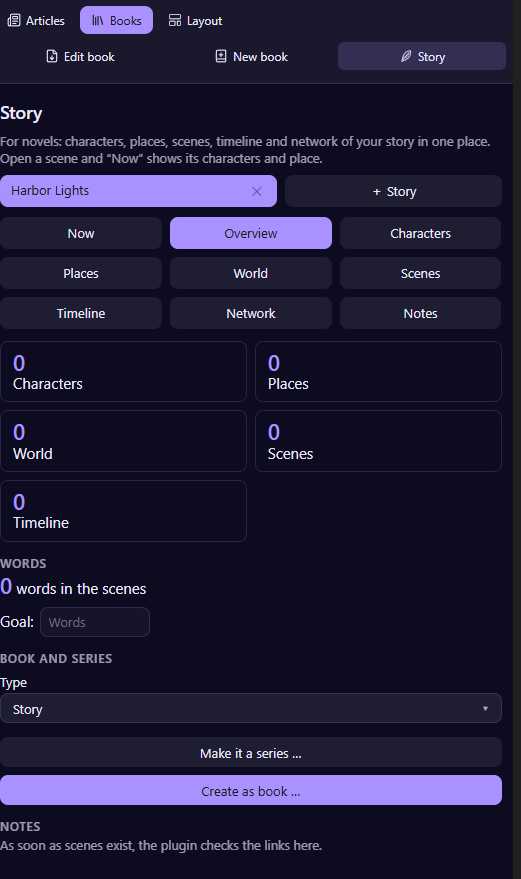
Start a story
Choose + Story, pick the type (a single story or a series), type the title and choose Create story. The plugin creates the folders for characters, places, scenes and timeline in the folder you name, by default Stories. Every entry is a note, and the notes are linked to each other. Do you already have a folder like that? Choose Add existing folder instead.
The tabs
- Now shows the characters and the place of the scene you have open.
- Overview counts characters, places, world entries, scenes and timeline entries, shows the words in your scenes and lets you set a word goal.
- Characters, Places and World list your entries. Add a character as a note, and enter relations in the note, for example a brother or a friend. The plugin finds shared scenes on its own.
- Scenes lists the scenes in reading order, Timeline lists the events in time order. Drag entries to put them where they belong.
- Network draws how characters, places and scenes connect.
- Notes shows the hints and the notes of the story.
Series
Choose Make it a series … to turn a story into the first volume of a series. Characters and places are then shared between the volumes.
From story to book
Choose Create as book … and the scenes become the chapters of a book you can then create as EPUB, PDF and Word.