

ax5author · 13
Notes and Reminders
Notes and tasks are one type: one file per note, with an optional due date and time. They live next to the document you read.
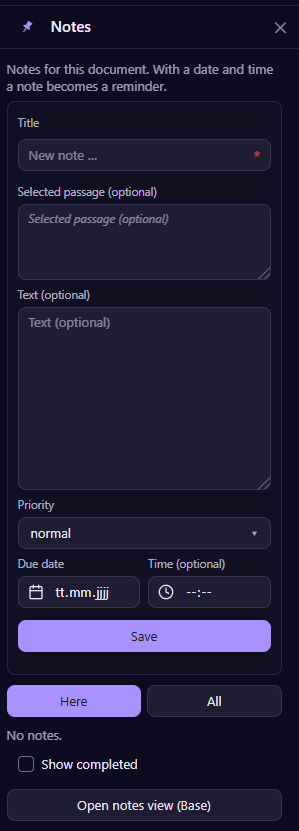
Add a note
Open Notes in the reader bar. Give the note a title, add the passage you selected and your own text, choose a priority and, if you like, a date and a time. With a date a note becomes a reminder.
Capture while you read
Select text in any document and choose Save as note from the context menu, or run the command Add note for selection. The passage comes along as a quote, so you always know where the idea came from.
Find them again
The Here tab shows the notes of the open document, All shows every note. Tick Show completed to see finished ones. Open notes view (Base) opens a table of all notes that you can sort and filter in Obsidian.
Where notes are stored
In the settings you choose whether each document gets its own note file or whether every note is a separate file in a folder of your choice. The notes are plain Markdown files, so they work with other tools too.