

ax5author · 21
Color Schemes and Settings
Open the color scheme panel from the palette symbol in the reader bar, or with the command Choose color scheme.
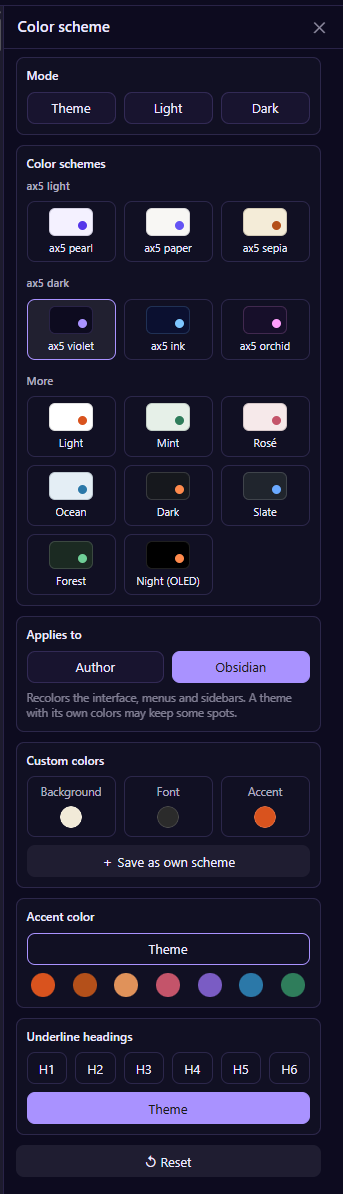
Three light and three dark schemes
The group ax5 light offers Pearl, Paper and Sepia. The group ax5 dark offers Violet, Ink and Orchid. Further schemes sit below under More. Each tile shows the background and the accent of the scheme.
A gallery with every scheme, as single pictures, is part of the wiki.
Where it applies
Choose Author to color only the reader, the writing area, the bars and the panels of the plugin, or Obsidian to color the whole interface, menus and sidebars as well.
Your own colors
Pick background, font and accent with the color picker. It starts with the hex value, shows R, G and B below it, offers an eyedropper and the colors of the ax5 brand. Save the result as your own scheme and it joins the tiles.
Accent color
Leave it on Theme, or choose one of the dots, or your own.
Headings
Choose which heading levels get an underline, from H1 to H6, or leave it to the theme.
Pictures never change
In every scheme, dark or light, photos and illustrations keep their own colors, in PDF, Word, EPUB and Markdown alike.
Settings per device
Your phone can look and behave differently from your desktop, because settings are kept separately for each device.